You know your child best. KAFL helps you show it, and build on it.
Whether you've just noticed something or you've been on this road for years, KAFL keeps your child's support in one place and turns therapy goals into small things you can do at home.
If you've just noticed something
Maybe your child isn't talking yet, or finds noise hard, or struggles to sit still at school. You don't need a label to start.
The free screening asks about what you see every day, and tells you which areas are worth a closer look and which professional to see first.
The screening never names a condition
It points you to the right professional. Only a qualified professional who meets your child can diagnose.
What you can do in the app today
| Feature | What it does for you |
|---|---|
| Screening | Questions matched to your child's age, with results by area and the professional to see |
| Daily living practice | Pick everyday skills, set dates, log how much help each step needs, and see progress over time |
| Plans and goals | See your child's goals from their therapist and how each one is going |
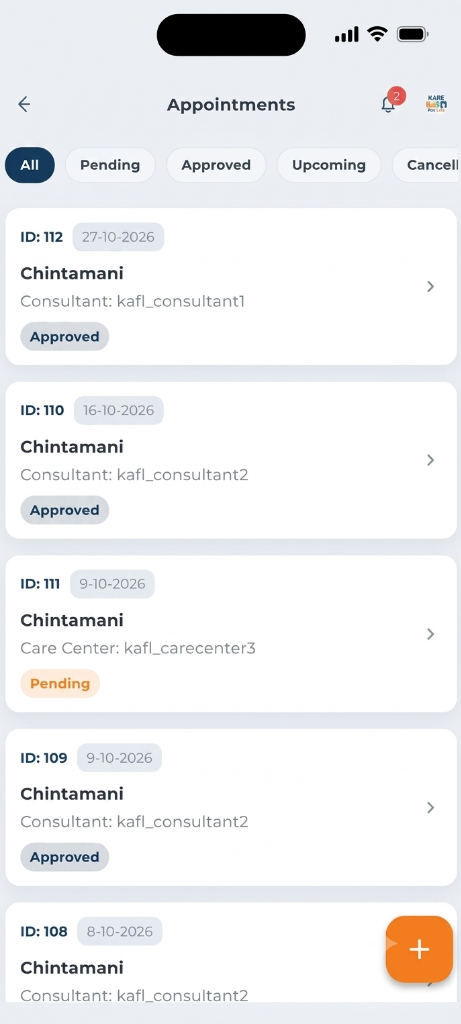
| Appointments | Book sessions with your centre and see where each one stands |
| Records | Keep reports, prescriptions and certificates in one place; snap them with your phone camera |
| UDID | Keep your child's disability certificate details to hand |
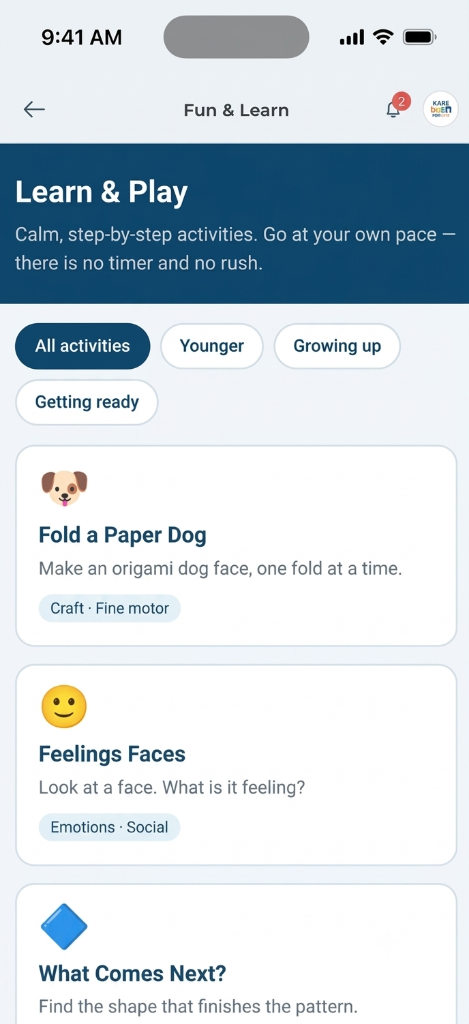
| Fun & Learn | Simple, calm activities chosen for your child's age |
| Find a school | Search for schools near you |
| Billing and receipts | Pay your centre and download receipts |
Drinking from an open cup
This month
- Alone on 6 days
- Nearly there on 3 days
- Needed a hand on 2 days
Putting on slippers
This month
- Alone on 2 days
- Nearly there on 7 days
Bring the family in
Add your partner, a grandparent or a nanny. You decide what each person can see. Grandparents and carers can log home practice; only parents and legal guardians can give consent or share records with a centre or school.
You stay in charge
- Nothing is shared with a centre, school or therapist until you share it.
- You can see who has access, and take it back at any time.
- If you have more than one child, each child has their own space.
What it costs
Starting is free: create an account, add your child, take the screening and log daily practice. Some reports and premium features are paid.
